
How to Stay Safe Online in 2026: The Plain-English Guide Every Ordinary Person Needs Right Now
It should not be forgotten that cybersecurity in today’s reality is a problem faced not only by computer geeks, but also by everyone who uses the Internet in one way or another. In 2026, the majority of activities, such as banking transactions, shopping, medical care, working, communicating with friends and relatives, and entertainment, occur via digital devices connected to the Internet. That is why the level of security that needs to be maintained while using the Internet is amazing. At the same time, the dangers associated with it grow as well. Cybercrime currently has become the third largest economy in the world, following only the economies of the USA and China.
What makes internet security such a challenge to the majority of users is not disinterest but rather the fact that any guidelines provided are overly complicated or just too general to be of much use. This guide is none of those things. Instead, it focuses on the particular actions that will make the greatest difference in ensuring your online safety – in clear language, from top to bottom, in terms of priority, and without requiring specialized technical knowledge. Internet security does not require an understanding of cyber security. It requires only that you understand five to six crucial actions and how to perform them.
Understanding the Real Online Threats Ordinary People Actually Face
It may be important first to know something about the real dangers that exist rather than some Hollywood conception of what hacking is all about. What I mean by this is to have a knowledge of the real dangers out there.
Phishing — The Most Common Attack You Will Actually Encounter
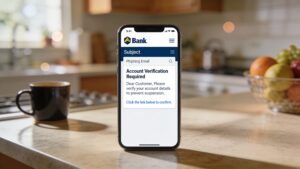
Phishing involves sending out deceptive communications in the form of emails or text messages, which mimic an authorized organization such as a bank, courier service, or streaming site to persuade the receiver into providing log-in information or payments or any other kind of sensitive data. Phishing accounts for more than 36% of all the global data breaches and is always the most efficient way to hack by hackers as it exploits the human psychology of the victim. A good phishing communication instills a sense of urgency, for example, “your account will expire.” It then directs you to a website that mimics a legitimate one but steals your data.
Weak and Reused Passwords — The Root Cause of Most Account Takeovers
Individuals today have to juggle over 100 online accounts, but it is difficult to come up with a password that is unique and secure without any help; that is why many individuals reuse passwords for their various accounts, modify the passwords slightly, or choose passwords based on personal information. Password insecurity is the reason behind most data breaches. In case your password gets compromised through the breach of one account that you are using, then hackers will use your email address and password to gain access to other websites such as banking sites, e-mail sites, and shopping sites.
Public WiFi Risks That Most People Underestimate
Every time you use a public WiFi network in places like cafes, airports, hotels, and libraries, you are sharing the network with others, some of whom may be watching the activities within that network. Although HTTPS ensures adequate security on websites, any hacker on the same network can easily snoop into unsecured data transmission, perform MITM attacks on weak connections, and create phony WiFi spots to entice you to connect to their networks where they will siphon off all your information. Your vulnerability is highest when connecting to financial institutions, emails, and your office while using public WiFi networks without a VPN.
Social Engineering — When the Attack Is Psychological, Not Technical
Definition of Social Engineering
Social engineering refers to the act of manipulating individuals into providing sensitive information about themselves through actions that pose risks to their security; no hacking skills whatsoever are needed by the attacker in such cases. They use methods like pretending to be bank fraud prevention divisions, acting as IT staff, and obtaining information via social networks in an effort to build up credibility. This type of attack works precisely because it does not need any form of technical security – even the best firewall in the world cannot save a user who is persuaded into voluntarily providing his/her logins.
The Most Important Steps to Stay Safe Online — In Order of Impact
However, not all these security precautions offer the same level of security. These four security procedures offer the maximum security benefits and are arranged below according to their effectiveness in descending order.
Step 1 — Use a Password Manager and Unique Passwords Everywhere
The best thing that you could do to boost your cybersecurity is to use a password manager. This tool will generate passwords that cannot be compromised because each and every account will have its own individual password created. For example, there is a password manager named Bitwarden that allows its users to generate secure passwords and not worry about any password reuse issues since it is absolutely free. In this application, there is an unlimited number of passwords and devices, which makes it ideal for those who want to ensure their online safety.
Step 2 — Enable Two-Factor Authentication on Every Important Account
It provides that additional crucial layer of security – in case your password gets exposed, you won’t be able to access anything without having that extra step completed. Make sure you activate two-factor authentication on your email first – it’s considered the master key for all the other accounts, since password recovery emails are sent to that account. Then go ahead and activate it for your bank account and any app you use to access social media and any other site that holds your financial details or personal information.
Step 3 — Recognise and Avoid Phishing Attempts
The most effective protection against phishing attacks is to learn to hesitate before you make an action based on some urgent message. No company ever asks for any passwords or financial data through emails or messages. Any time you receive a message making you feel like acting urgently, think about it as a warning sign and not as the reason to take the required steps immediately. If you need to click on a link sent to your email, just move your cursor on it to see where you will be redirected – if the address is not exactly the same as the company’s address, then don’t use it.
Step 4 — Keep Software and Devices Updated Without Delay
Updating software is the easiest security practice that many people underrate. Software updates plug up all known vulnerabilities, or holes, in the operating system or other applications where hackers can use their skills to penetrate. If you postpone an update, you are exposing yourself to risks that are avoidable. Set up automatic updates in your mobile phone, computer, or any device that connects to the Internet. Each time an update comes up, make it your security concern, not a task you can leave for some other day. This is applicable to browsers, application software, and even routers.
Protecting Your Privacy Online — Going Beyond Basic Security
These issues are separate, although connected. Security helps keep your accounts and personal information safe from theft. Privacy helps keep your personal information private and prevents it from being profiled without your knowledge or permission. Both are important issues, but what follows below deals only with privacy.
Browser Settings That Protect You From Tracking
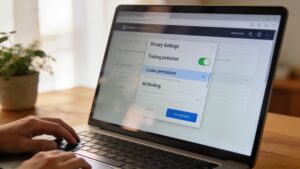
Every web page you visit generates data about you, including location data, browsing habits, and even the device itself, and sometimes even personal identity details via a combination of cookies, trackers, and fingerprinting technologies which most people will never notice or consent to being tracked by. By using a web browser such as Firefox or Brave (both of which offer better privacy settings than Chrome by default), you instantly limit the amount of data that can be generated. Using a browser add-on called “uBlock Origin” automatically disables some of the most popular trackers without further customization. Rejecting unnecessary cookies on each page visited is tedious, but worth the effort for those concerned with their online privacy.
Social Media Privacy Settings Most People Have Never Reviewed
Social media networks come preset with the most open settings as far as privacy is concerned, which means that the maximum amount of data will be shared with any advertisers or partners as well as the minimum will be restricted from doing so unless explicitly set by the user. Take a look at your privacy settings on each of your social media accounts, i.e., who can view your posts, if your profile is visible to everyone or not, if apps and games linked with your account have permission to collect data, and finally, if location data is being collected or not.
Using a VPN — What It Does and When You Actually Need One
A virtual private network will encrypt your internet connection and direct it through a server located anywhere you choose, making sure your internet service provider does not spy on what you do on the internet and keeping your personal information secure on any Wi-Fi hotspot. While for the average internet usage at home, a virtual private network is not necessary as long as you access websites that are HTTPS encrypted, a good one becomes extremely useful when accessing the internet on a public hotspot, while traveling abroad, or when avoiding being spied upon by your internet service provider.
What to Do If Your Data Has Already Been Exposed
The problem of data breaches has become so widespread that it is no longer a matter of if but when and how often your data becomes compromised and what type of websites are vulnerable. Check your email accounts with the help of the free service provided by the site haveibeenpwned.com and learn whether any of your emails have been hacked and where specifically this happened. If your email and password combination appears compromised, change all passwords for such account as well as other accounts where these login details can be applied. Using free services of having been pwned.com for signing up for breach monitoring will alert you about any further problems as soon as they occur.
Staying Safe Online for Specific Groups — Children, Older Adults, and Remote Workers
Online safety needs vary significantly by situation. These sections address the three groups with the most distinct requirements — and the most commonly overlooked vulnerabilities.

Keeping Children Safe Online — The Practical Essentials
There are certain hazards to children online; these include exposure to inappropriate material, encounters with strangers online, being victims of cyberbullying, and the manipulative nature of websites designed to encourage user engagement regardless of any detrimental effect on the user’s well-being. Some of the things parents can do include activating the parental controls available on all their child’s devices, making sure that devices are kept in common areas within the household instead of personal rooms, and having an open conversation about online activities without turning these into monitoring exercises. The single biggest threat to a child’s online safety is not a particular website; it is the lack of a trusted adult to talk to.
Protecting Older Adults From the Scams Targeting Them Specifically
Elderly people tend to fall prey to these fraudsters on the internet, not because of their low IQ but rather the fact that they are prone to having saved up money, they haven’t come across such tricks before, and there’s a good chance they have suffered from social alienation so a friendly and helpful call from a fraudster feels genuine. The most frequent scams that target the elderly in 2026 will be fake technical support calls, romance scams, the grandparent scam, and investment frauds. What would protect these elderly individuals from being defrauded is a general understanding within a family that any such call demanding immediate payment requires discussion.
Remote Workers — The Specific Risks of Working From Home
Remote workers are one of the most valuable assets of cyber criminals – since they have access credentials of their corporations but do not benefit from a corporation’s IT infrastructure. The following security measures are vital for remote workers: use of a virtual private network when working remotely, avoidance of the combination of personal and work tasks using one device whenever possible, activation of full disk encryption on any device that you use to work remotely, and always considering any contact initiated by an unknown sender (email, message, or call) as an opportunity for social engineering attack. Your employer’s data is the prize. Your credentials unlock it.
The Habits That Keep You Safe Long-Term Without Constant Effort
The best strategy for ensuring online safety involves developing few effective behaviors that work instinctively, and not keeping oneself constantly alert to avoid becoming tired and quitting after some time. The four behaviors that can be relied upon to give maximum safety are: using a password manager to ensure different passwords get created automatically, setting up two-factor authentication to make sure account logins are done through both knowledge and possession, thinking before clicking on links from any urgent messages, and immediately updating software once notifications start appearing. This combination of behaviors is all one needs to stay safe against the majority of attacks one is likely to come across.
❓ FAQ
Q1: What is the single most important thing I can do to stay safe online?
Set up two-factor authentication for your email account immediately. Your email address is like the key that controls access to all of your other accounts, where things like password changes, security updates, and even personal messages go through. If an intruder manages to gain entry to your email address, they will have the means by which they will be able to change passwords on all of your other accounts. Having an extra layer of security in addition to a password ensures added protection.
Q2: Is it safe to use the same password for multiple accounts?
Absolutely not, and this is precisely where the majority of people who end up having their accounts compromised go wrong. In cases where hackers get access to one of your logins, they will immediately use the same login credentials on financial websites, e-commerce sites, email services, and more. All this becomes totally void when you use a different password for each of your logins, all generated and kept track of via a password manager such as Bitwarden.
Q3: How do I know if my personal data has already been stolen?
Visit haveibeenpwned.com and provide your email address. This reputable and reliable online service will check whether there is any information about your email address in the database of data breaches and notify you instantly about any data breaches where your information is listed. In case you have found your email address, change the passwords for those accounts, and add two-factor authentication wherever possible.
Q4: Do I need a VPN to stay safe online?
For routine activities that occur online at home via encryption, it would not be necessary to have a virtual private network installed. However, once a user uses a public WiFi connection in a coffee shop, airport, hotel, or any place where other people may possibly be monitoring your information, a virtual private network will be useful. Similarly, a virtual private network becomes helpful while traveling to countries where internet services are limited due to certain restrictions. If one works with a public WiFi connection often, then it is definitely worth the extra money.
📝 Conclusion
Knowledge about how to navigate the internet in a safe manner does not involve advanced technology; rather, it involves a few simple things one can learn to do regularly. A password manager. Two-step authentication. A second thought about clicking on any seemingly urgent links. Up-to-date software. These four steps will safeguard you against most of the actual risks facing regular users of the internet. The internet will not get any safer automatically. However, your experience navigating it will be much safer from now on thanks to changes you can make in under an hour.

1 thought on “How to Stay Safe Online: Simple Steps Everyone Needs”