

Digital Declutter: The Complete Guide to Cleaning Up Your Tech Life and Getting Your Mind Back
Digital decluttering is not just a buzzword; it is something that many individuals require right now, and they have just begun to realize that. Let us reflect on this point. Your email box is filled with thousands of emails that remain unread. Your mobile camera gallery is filled with over a thousand images that you no longer wish to see. Your computer desktop folder comprises a collection of files named as such – “Final Final Version 3.” There is also a monthly fee going to your credit/debit card for some streaming service that you may have forgotten. None of the above seems critical. However, all of this is sucking up your time, effort, money, and energy every day.

As reported by a 2026 survey conducted by Compass Datacenters, a whopping 77 percent of Americans confess to having an unnecessary surplus of digital documents and 1 out of 3 people report that organizing these documents often leaves them feeling stressed. (Glimpse) Stress like this is all too common, but it is very easy to measure and, thankfully, solve. Organizing your digital information properly doesn’t take a lot of time, nor does it demand any special skills on your part. It just takes commitment and an action plan.
Why Your Digital Life Has Become So Cluttered — And Why It Matters
Usually, it’s not deliberate on their part to start hoarding digital files. It is just something that builds up slowly and silently, file by file. Gaining insights into the reasons behind rapid digital clutter is the starting point of solving the problem.
The Invisible Weight of Too Many Digital Files
Digital clutter is an intangible form of weight. By 2026, the real toll is no longer the storage space, but rather the distraction factor. Each notification fights for the limited capacity of your working memory. Each disorganized file folder adds a layer of complication to the task at hand. Cognitive psychologists have found that even small decisions reduce brain bandwidth, and it’s evident in the feeling of being drained yet unable to pinpoint precisely why come quitting time. (Link Assistant) While the messy state of the kitchen is tangible and motivating to clear out, the state of digital chaos remains elusive and insidious.
How Forgotten Subscriptions Are Draining Your Bank Account
Everyone is aware of free trial subscription services, which they sign up for without giving a second thought, only to see them turn into recurring monthly payments. (Quora) This could be any subscription ranging from streaming services to storage upgrades or even apps downloaded two years back – it accumulates quickly and hardly anyone makes an effort to keep track of these expenses. Millennials are expected to end up spending a staggering amount of $40,000 in cloud storage fees during their lifetimes (Packapop). And most of the time, they will never even use that storage space.
The Security Risk Nobody Talks About
According to cyber security professionals, having old and unused accounts and applications as well as unused files contributes to creating a large attack surface which means that a number of ways of penetrating and exploiting the system by hackers and other fraudsters have been created. What makes these accounts especially vulnerable is their connection to your email account and the fact that if one gets breached, your exposure increases dramatically. (Glimpse) In addition, every single account created on websites long time ago still remains and is a threat waiting to be discovered. This makes deleting unused accounts a simple yet very effective step for securing yourself online.
How Digital Clutter Quietly Hurts Your Productivity Every Day
Fifty percent of the population in America, half of whom are 50%, experience frustration as they cannot find a certain application or file on their computer because of digital clutter at least once a month. Twelve percent face such problems every day. (CIO Think) This amounts to precious time that could be otherwise spent elsewhere, but digital chaos consumes every day and every minute. When your digital space is clear and organized, you can do things faster and more effectively, and also think better.
How to Digital Declutter Your Phone in Under an Hour
Your phone is the most personal yet the most disorganized device you own. Moreover, it has the greatest effect on your emotional well-being, your memory, and your concentration every single day. This is the quickest place to make a visible difference.
Clearing Your Camera Roll the Smart Way
45% of the respondents claim that they store more than 1,000 pictures in their cell phones right now, and 3% store more than 20,000. (EY) But instead of removing pictures one by one, which will be extremely time-consuming, it makes much more sense to use your cell phone’s duplicate picture detector. For an iPhone, this is done through Photos -> Albums -> Duplicates. On Android, the similar task is performed by Google Photos app, which detects all duplicates and images alike. Keep the best one from the bunch and remove the others, then empty the Recently Deleted folder.
Deleting Apps You Have Not Opened in Three Months
Any unused application is taking space, using unnecessary processing power and could be dangerous from the point of view of security. Old applications are the least attended threats when speaking about security, particularly, when it comes to the phone. (Vidpros) Open the phone’s Settings, order your applications according to usage frequency, and remove all those that you have not opened in the last three months. It is true, you will hardly ever use those applications. Users of iPhone can activate the function “Offload Unused Apps” under Settings → App Store and forget about future cleaning efforts.
Cleaning Up Your Notification Settings Right Now
According to some statistics, on average, each smartphone user gets from 65 to 80 notifications daily. The vast majority of them appear on your screen automatically, as part of an app’s battle for your attention, rather than being sent by someone who needs to contact you personally. Outdated applications and excessive permissions to get notifications from your phone apps remain some of the least obvious factors that contribute to draining your battery and distracting you from focusing on important things. (Vidpros) Take a look at all your apps’ settings regarding sending notifications, and pose a single question: is this application needed to disturb me?
Sorting Your Downloads and Clearing Cached Data
Downloads is usually the junk drawer of any device where documents, images, and other things get saved without ever being viewed again. (Packapop) Start by looking through the Downloads folder on both the phone and the computer and delete anything that is not really needed. The next step would be to clean out your app cache – on Android it’s Settings -> Storage -> Cached Data and just one click deletes everything, while on iPhones the only solution to deleting caches is to uninstall and install apps.
How to Digital Declutter Your Email and Online Accounts
Email becomes the place where digital clutter is both the most hidden and most harmful. A flooded inbox is more than just a stressful situation; it literally hides information you need access to and impedes your ability to do anything relevant.
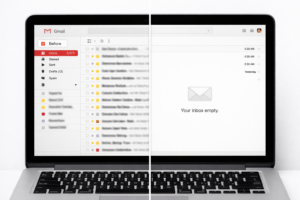
The Unsubscribe Session That Changes Your Inbox Forever
A typical individual gets about 121 emails every day (Pew Research Center), and almost all of them are marketing emails sent out of old mailing lists. The easiest way to handle this problem is by spending 20 minutes only unsubscribing yourself from promotional emails. The process begins by starting with the newest month first. You can use any free service provider such as Unroll.me, which allows you to view and cancel all of your subscriptions at once. This one-time effort will reduce the amount of email you receive by 60 to 70 percent immediately and permanently.
Closing Old Accounts You No Longer Use
All those old accounts created by you but never used again are potential security risks for you. The reason is simple – your email address, password, and personal data are stored by that organization and any breach to its database would mean that your personal data is compromised too. Cleaning up those accounts that you don’t use anymore and setting up strong passwords along with using a password manager can limit the access that hackers could have otherwise.
Organising What Remains Into a Simple Folder System
People generally do not realize how many locations their personal data occupies until they analyze all of their different devices, various cloud services, multiple email addresses, and login credentials. (menafn) After deleting all unnecessary emails, develop a straightforward folder hierarchy within your inbox consisting of no more than five or six folders pertaining to your most important areas of life: Work, Finances, Family, Subscriptions, and References. The objective here is not to build an absolutely perfect filing system; rather, it should be a very simple one that would be easy for you to keep updated as you go along.
Resetting Your Passwords While You Are at It
Secure passwords are vital — as any person that has been hacked before can attest. First focus on the critical accounts: banking, credit card, and e-mail accounts. After that, go over the others methodically. (Quora) Employ a password management system such as Bitwarden, which is not only free but also an open-source program, in order to have a secure password for each account. Implement two-factor authentication for your e-mail, your banking information, and any other accounts that contain your private and financial information.
How to Keep Your Digital Life Clean After the Declutter
The most frequent error committed by individuals following a digital decluttering exercise is that of considering it to be a one-off task. In no time at all, without a mechanism for maintenance, the digital landscape reverts to its former state.

The Monthly 15-Minute Digital Maintenance Habit
Digital decluttering is not something you do once in your life. Regularly schedule a 15-minute appointment once a month where you will organize your files, uninstall apps, and tie all loose ends. Consistency is key in order to avoid digital mess. (Vidpros) Add a monthly reminder to your calendar for the first Sunday of each month, and spend only 15 minutes on the following activities: Uninstall any applications that you downloaded but did not use; Empty the Downloads folder; Get rid of new email subscriptions you signed up for; Check your list of subscriptions for any changes.
The One-In-One-Out Rule for Apps and Subscriptions
One of the most straightforward ways to keep from having too much clutter digitally is the rule of one in, one out, which involves deleting something before adding a new application or subscribing to a new website. The effect of having a cluttered digital environment is that it takes away your concentration and productivity, as well as causing stress. By eliminating clutter, not only will you be able to do your tasks quicker but you’ll have clearer thoughts as well. (Menafn)
This rule does not require any willpower once you make it a habit; it simply ensures that your digital world is always within your comfort zone.
Setting Up Automatic Backups So Deletion Feels Safe
The primary reason why many hoard their digital information is their fear of getting rid of something as they would be losing something forever. Making sure you set automatic backups solves this problem by eliminating your fear and making it much easier to get rid of excess stuff in the future. Automatic backups should be enabled via Settings > [Your Name] > iCloud > iCloud Backup on iPhone and Settings > System > Backup on Android devices. If you own a laptop, it’s recommended to purchase an external hard drive with automatic Time Machine backups for Mac or Windows Backup on PC.
The Annual Digital Spring Clean Worth Doing Every Year
In addition to the monthly task of 15 minutes, the yearly process of a more thorough digital decluttering process, which is best done at the beginning of each year or in the spring season, helps maintain a truly organized digital life. There are many digital decluttering activities that will take up a considerable amount of time, so doing them in increments by tackling one per month in a year would make the process less overwhelming for you. (36Kr) During your yearly process, you can go through your current cloud storage subscription plans and cancel or switch to something more appropriate, check all your subscriptions and renew only the useful ones, check your privacy settings on all social media accounts, change the passwords in your password manager, and archive the previous year’s files.
❓ FAQ
Q1: How long does a full digital declutter actually take?
The entire process will take between two and four hours over a span of the weekend. It will require about an hour for the phone, half an hour for the emails, and another hour for the account cleanup process. Once you clean up for the first time, doing a 15-minute cleanup each month thereafter will prevent this kind of clutter from accumulating.
Q2: Will deleting old emails and files actually make my devices faster?
Yes, especially when it comes to phones and old laptops that have limited storage space. When the storage capacity of a gadget is over 80 percent, there is a definite impact on its speed. Deleting unnecessary stuff from one’s device helps in releasing memory for efficient functioning. Most of the time, users can experience the difference immediately after cleaning up the memory of their gadget.
Q3: Is it safe to delete old accounts I no longer use?
Not only does it make sense to do so for safety reasons, but also because it’s absolutely necessary according to cybersecurity specialists. Each unused account is a possible channel through which hackers can attack. In case the company where you have registered ages ago is attacked by hackers and undergoes data breaches, your email and password will become public knowledge despite the fact that you no longer use the service.
Q4: How do I find subscriptions I have forgotten about?
The quickest way is to search for “receipt” or “subscription” in your email box and examine all the matches. Alternatively, you could examine your bank statement and those of your credit card companies for any recurring smaller payments; a charge that appears every month from an unfamiliar company name is definitely one to research. For iPhone users, simply navigate to Settings → [your name] → Subscriptions.
📝 Conclusion
Digital decluttering may well be one of the most beneficial activities you could undertake this week, not because keeping things tidy is important per se, but because, in reality, your attention, finances, and mental tranquility are all at stake here. Every file, every account, and each subscription you’ve been neglecting comes at a price each and every day. This week, start by clearing up your phone; the next day dedicate 20 minutes to your inbox. Make a routine out of it and make sure everything remains manageable from now on.

1 thought on “Digital Declutter: Clean Up Your Tech Life Today 2026”