
Why Does My Phone Get So Hot? Causes and Fixes
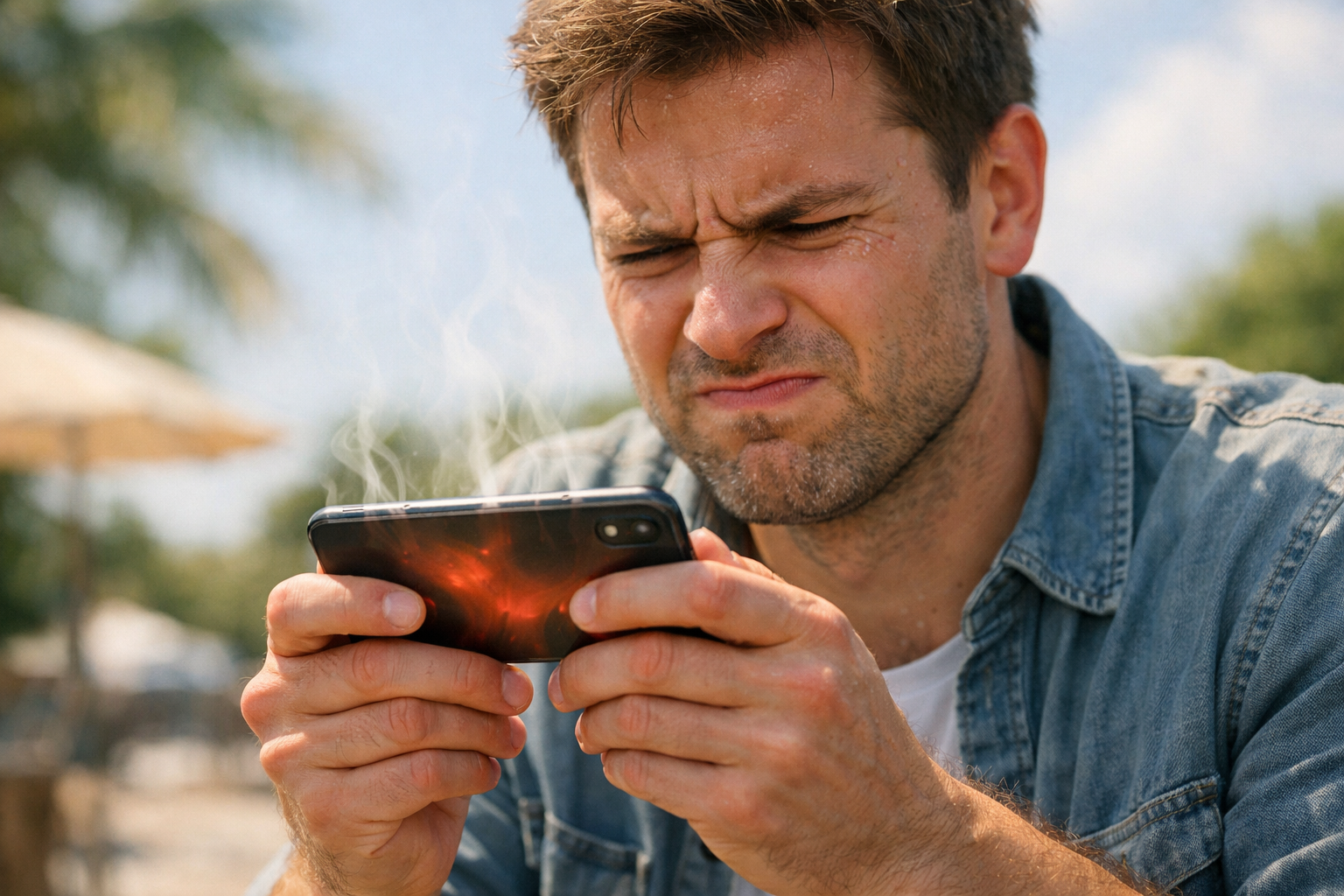
Why does my phone get so hot? It is one of the most commonly searched tech questions in the world — and for good reason. Almost every smartphone user has experienced that uncomfortable moment when their device becomes too warm to hold comfortably, apps start crashing, the screen dims without warning, or a message appears telling you the phone needs to cool down before you can continue using it. These are not just minor inconveniences. Left unaddressed, chronic phone overheating damages your battery, shortens the lifespan of internal components, and in extreme cases creates a genuine safety risk.
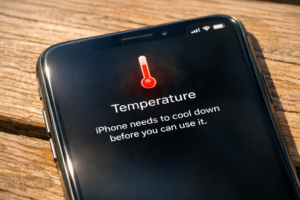
According to Bitdefender’s tips on phone overheating for 2026, intensive applications such as video chatting can bring a smartphone’s temperature up to about 50°C, or 122°F, in ten minutes. According to Apple itself, iPhones are supposed to function at temperatures between 32°F and 95°F, or 0°C and 35°C, respectively, and beyond this, protection measures will be automatically set off by the system, which include dimming of the screen, reduced functionality, and suspending the battery charge process. Knowing exactly what causes your phone to heat up and what specific steps you should take to remedy this problem will make all the difference.
This guide provides information on all the major reasons for your phone to get overheated – whether it be an iPhone or an Android phone – along with solutions that you can use immediately to restore its normal temperature.
The Most Common Reasons Your Phone Gets So Hot
Before attempting any sort of remedy, you have to first find out what has caused the problem. Overheating of your phone is not something that happens by chance; it always has a very distinct root cause.
Direct Sunlight and Environmental Heat
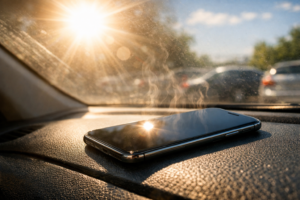
One of the quickest ways of overheating your phone is leaving it in the sun. In accordance with information provided by iPhone Repair 4 Less, one of the top factors that leads to overheating is heat in the environment, which is exacerbated if your phone is left beneath a piece of glass, for example, inside a car. On an ordinary day outside, a phone placed face up in the sun will reach its maximum permissible temperature within minutes. The solution to this problem is very simple – just place your phone in the shade, where it can cool down naturally.
Too Many Apps Running in the Background
Closing your app via a swipe on your device doesn’t guarantee that the app stops working. As stated in Bitdefender’s guide to overheating in 2026, background apps will still refresh feeds, check your location, and receive messages, hence putting pressure on your CPU to do many tasks at once and creating a lot of heat in the process. For iPhone, navigate to Settings > General > Background App Refresh and disable the option for all apps that don’t require constant updates. In Android devices, open Settings > Apps > Select app > Battery > Restricted. One of the best ways to solve the problem is by handling the issue of background apps.
Charging — Especially While Using the Phone Simultaneously
The act of charging itself is a source of heat because heat is produced as an aftereffect of the absorption of energy into the battery. This becomes an even greater issue when you charge your phone while using applications like gaming apps, videos, or even GPS. Overheating in your phone: A Guide by Parts4Repair considers this to be the most frequent cause of overheating in a smartphone. According to AVG’s iPhone overheating guide, it is advised not to use your iPhone when it is plugged in for charging, and especially to avoid charging using non-original chargers.
Malware and Viruses Running Hidden Processes
Although there is no danger for the users of iPhones because of Apple’s exclusive and secure operating system, there is yet another problem faced by Android users: Malware infection. Xfinity’s Mobile Phone Guide clearly states that “Android phones are susceptible to viruses that execute hidden processes running in the background, drawing CPU power and creating heat all the time.” If you experience overheating, rapid draining of the battery, or some odd behaviors of your Android phone and you have not encountered any problems like this before, malware scanning should definitely come first before diagnosing any hardware problems.
Software Causes — Updates, Bugs, and Screen Brightness
Overheating isn’t always caused by usage and surrounding factors. Overheating problems caused by software are one of the easiest and cheapest causes of mobile phone overheating – they make up a considerable percentage of the overheating cases.
Outdated Software Forces the Processor to Work Harder
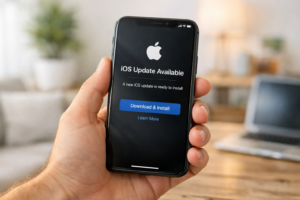
The use of old versions of the OS is yet another frequently neglected reason for the heating of mobile phones. The iPhone overheating tips by Avast indicate that old versions of iOS or Android are likely to have flaws, which lead to inefficient processing and increased vulnerability to threats such as malware programs, which produce heat. Updates are regularly provided by manufacturers precisely in order to address these performance problems and bugs. Updating to the latest available version of the software is one of the easiest ways to protect one’s mobile from overheating.
Screen Brightness Running at Maximum
The display screen consumes more power than any other component in your smartphone, and operating the screen brightness at full capacity means that the processor and battery have to operate continuously under maximum load, leading to excessive heat production. According to Parts4Repair’s overheating guide, using the maximum brightness level for your smartphone screen is one of the major factors that cause overheating but can be rectified very quickly. All you need to do is lower the screen brightness to below 50%, or alternatively, use adaptive brightness, which adjusts the screen brightness automatically based on the lighting.
Streaming, Gaming, and GPS Navigation Under Heavy Load
Some operations are, by their very nature, hard on the phone’s hardware components, but the continued operation of such tasks is bound to cause some heating up as a direct result of the increased processing power being used. According to the Avast guide on overheating issues, the top three heat creators on both iPhones and Android devices are streaming videos on Netflix and YouTube, playing games, and using GPS maps. However, the issue is not that these operations exist; rather, it is the continued performance of said operations for a long period of time without any pauses, especially in hot weather and when charging. According to Bitdefender, video chatting can heat the device’s surface to more than 50°C in 10 minutes.
A Recent Major iOS or Android Update Causing Temporary Overheating
In its guide to troubleshooting overheating on an iPhone, Magfone points out that there is one particular reason why a phone may suddenly start to overheat, but is rarely recognized as such. Immediately after any substantial update of the iOS or Android operating system, the phone goes into extensive background indexing and optimizing activities, which imposes excessive loads on the phone processor for several hours up to one day. This behavior is quite normal and will only last until the background process is finished. If the overheating occurred immediately after an update was installed, the best course of action would be patience.
Battery Health — When the Problem Is Inside Your Phone
A failed battery is the most frequent source of constant overheating of cell phones, but unfortunately, one that most users find out about too late once their device is severely damaged. This is what you should check for and how to fix it.
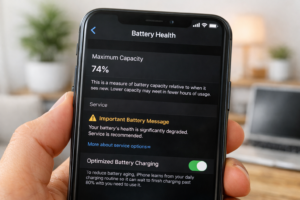
How a Degraded Battery Causes Your Phone to Overheat
The natural aging of smartphone batteries occurs gradually due to the constant charging and discharging process. When the capacity starts dropping, there will be more effort required from the battery to provide the same amount of power to the CPU and the display, resulting in an increase in heat produced. According to iPhone Repair 4 Less, the battery’s health check should be the first thing to look into when the iPhone gets hot all the time. In order to do so, one needs to enter the Settings app and find Battery > Battery Health. Based on the information provided by both Avast and iPhone Repair 4 Less, less than 80% battery capacity indicates a need for replacement.
Wireless Charging Generates More Heat Than Wired Charging
Without a doubt, wireless charging offers great convenience – but unfortunately, it is far less efficient compared to wired charging and produces extra heat in the process. In the overheating troubleshooting article provided by Parts4Repair, the authors advise to avoid wireless charging altogether if you already experience high temperatures from your device when charging it. Conversion losses associated with wireless power transfer lead to increased heat emissions in contrast to conventional cabled charging. In case you feel that your smartphone gets very hot when using wireless charging, the most effective step to take would be to switch back to wired charging.
Third-Party Chargers and Cables Are a Hidden Risk
The potential hazard that many people tend to overlook lies in using a cable or charger that wasn’t intended for the device in question. According to AVG’s guide to phone overheating, the problem of incompatible chargers lies in the fact that they provide unstable current and voltage, forcing the battery to overexert itself and thus produce extra heat in the process. Not only will an unoptimized charger increase the thermal load, but it can cause battery corrosion as well as pose some very real hazards in extreme situations. Always rely on the charger made by the manufacturer or its authorized alternative.
When the Battery Needs Professional Replacement
Some symptoms make it obvious that the battery is damaged to an extent that software solutions or behavior cannot fix the problem. As explained on the iPhone Repair 4 Less website, the symptoms that require you to replace the battery include your phone having a battery percentage below 80 percent, your phone suddenly turning off without warning while still showing some charge, phone getting very warm during minimal use, or a dramatic decrease in battery life compared to how it used to be when the phone was new. You should replace your battery by contacting Apple if you own an iPhone or contacting your device manufacturer if you have an Android phone. Magfone states that replacing the battery will fix most overheating problems in old phones.
Immediate Fixes and Long-Term Habits to Prevent Overheating
After knowing the reasons behind the phone’s overheating, the problem becomes easier to handle. A blend of instant methods to cool down the phone, together with constant habits, will ensure its safe and efficient operation.
Remove the Case and Move to a Cool, Shaded Location Immediately
In the event that you experience an overheating of your smartphone, one of the first things that you should do is to take it away from any source of heat and take off its case, since phones tend to retain heat in their casing, especially when made of rubber or leather, making them retain more heat and taking much longer to cool down. According to Parts4Repair and Magfone, the next thing that should be done is setting your phone down on a cool surface, indoors, somewhere where there is adequate ventilation.
Enable Low Power Mode to Reduce Processor Demand Immediately
The iPhone feature ‘Low Power Mode’ (Android feature ‘Battery Saver’) is one of the most efficient immediate ways to decrease phone heating rapidly. As Parts4Repair suggests, the activation of the option should be considered the very first step taken once a user realizes his or her device overheats. The feature ‘Low Power Mode’ minimizes the background work, dims the display, limits location searching, and cuts off specific processor functions — all that makes the device cooler within just minutes. To activate it on an iPhone, use the following steps: Settings -> Battery -> Low Power Mode. For an Android phone, swipe down the notification shade and select Battery Saver.
Turn Off GPS, Bluetooth, and WiFi When Not Actively Needed
GPS, Bluetooth, and Wi-Fi radios are all technologies that drain the battery and create heat as long as they remain enabled, regardless of whether any applications are utilizing them. According to the Xfinity mobile guide, when your device feels hot, it is advised to disable both GPS, Bluetooth, and Wi-Fi radios to reduce both the amount of energy consumed and the heat generated; it is claimed that the impact is instantaneous. If you have an iPhone, simply use the Control Center and swipe down from the upper-right corner of your screen. On Android devices, you can use the notification shade for the same purpose. Airplane Mode will help cool your phone faster than anything else.
Long-Term Habits That Keep Your Phone Running Cool
Cool
Keeping your phone from chronically overheating is much easier than constantly dealing with overheating issues once they become a problem. Bitdefender’s overheating guide for 2026 suggests maintaining four regular practices on a continuous basis: ensuring that the OS and all applications are always up to date, auditing and uninstalling apps that consume excessive battery power in the background, using only the manufacturer’s charger, and placing the phone in a cool and well-ventilated environment – not leaving it out in the sun or in a hot car. According to Parts4Repair, there is also another useful practice you can maintain to help prevent overheating: select a ventilated phone case if you use your phone often.
Frequently Asked Questions About Phone Overheating (FAQ)
Is it normal for my phone to get warm during charging?
Absolutely! The heat generated when you charge your device is perfectly fine. It is the normal effect of your device storing the energy. But do not expect your phone to heat up beyond the comfort zone. Should that happen, then you need to stop charging it immediately.
Can an overheating phone damage itself permanently?
Certainly, in case the problem is ongoing without being fixed. Continuous exposure to heat will result in the destruction of the battery’s chemicals, reduced life span of the battery, and even damage to the inner parts. It is for this reason that Apple designed the temperature alert message screen.
Why does my phone get hot even when I’m not using it?
The issue is always due to background apps. Location services, social media updates, or app updates in the background will use up a lot of battery even without turning on the screen. See the list of apps using up your battery in Settings > Battery for iPhone and Android.
Should I be worried if my phone shows a temperature warning?
Indeed! Take quick action by relocating the phone to a cooler place, taking off its protective cover, and switching it to airplane mode, as well as refraining from charging the device until it has cooled down. In case the phone frequently displays temperature alerts without any apparent reason, it would be advisable to seek technical assistance.
Conclusion: A Hot Phone Is Telling You Something — Listen to It
Why is my phone so warm? There are only several reasons to consider, all of which are perfectly easy to address: too much activity of apps in the background, direct sunlight, bad condition of the battery, old firmware, or continuous and intensive work without rest periods. None of these reasons means that you need to spend money on the problem resolution; they mean that you simply have to be attentive and follow some habits.
The trouble comes when the problem isn’t acknowledged and we just wait for the issue to solve itself. It is no secret that if your phone constantly overheats, then there really is an issue at hand; one which can lead to you needing repairs for your device in the future, potentially wasting money that you could save with just a simple fix right now.
Monitor your battery’s condition today. Make sure that you have installed all the updates for your phone software. Stop using applications in the background. Take your phone away from the heat of the sun.